Inventory, orders and warehouse in one system.

Lightning Count reads the inventory, sales and purchase order reports you already export. You get a daily reorder plan, sales orders and invoices, payables and receivables, warehouse picking and receiving, and the KPIs your team is measured on.

Item GRPA-011Weeks of stock left

One system for what to order, what to ship and what you are owed.

  • Reorder planDaily rate times lead time plus safety stock gives each item a reorder point and a suggested quantity, by vendor.
  • Run rates and weeks on handSee how fast every item really moves, and how long today's stock will last.
  • Excess and obsoleteFind stock that has stopped moving before it ties up more space and cash.
  • KPI scorecard and executive summaryOn-time shipment, fill rate, back orders and error rates, plus a monthly summary you can download as a Word document.
  • Sales orders, invoices, payables and receivablesTurn a sales order into a pick ticket and an invoice, record payments, and track vendor bills. Your company details and tax rate fill in automatically.
  • Accounting behind its own passwordCompany info, tax rates and a tax collected and paid tracker sit behind a separate login, so only the people you choose can see or change them.
  • Warehouse (WMS add-on)Pick batches, receiving, putaway, replenishment and cycle counts, on the same login and the same data.
  • Loads the reports you already haveImport inventory, open and closed POs, inbound transfers, production jobs and open sales orders straight from your exports.
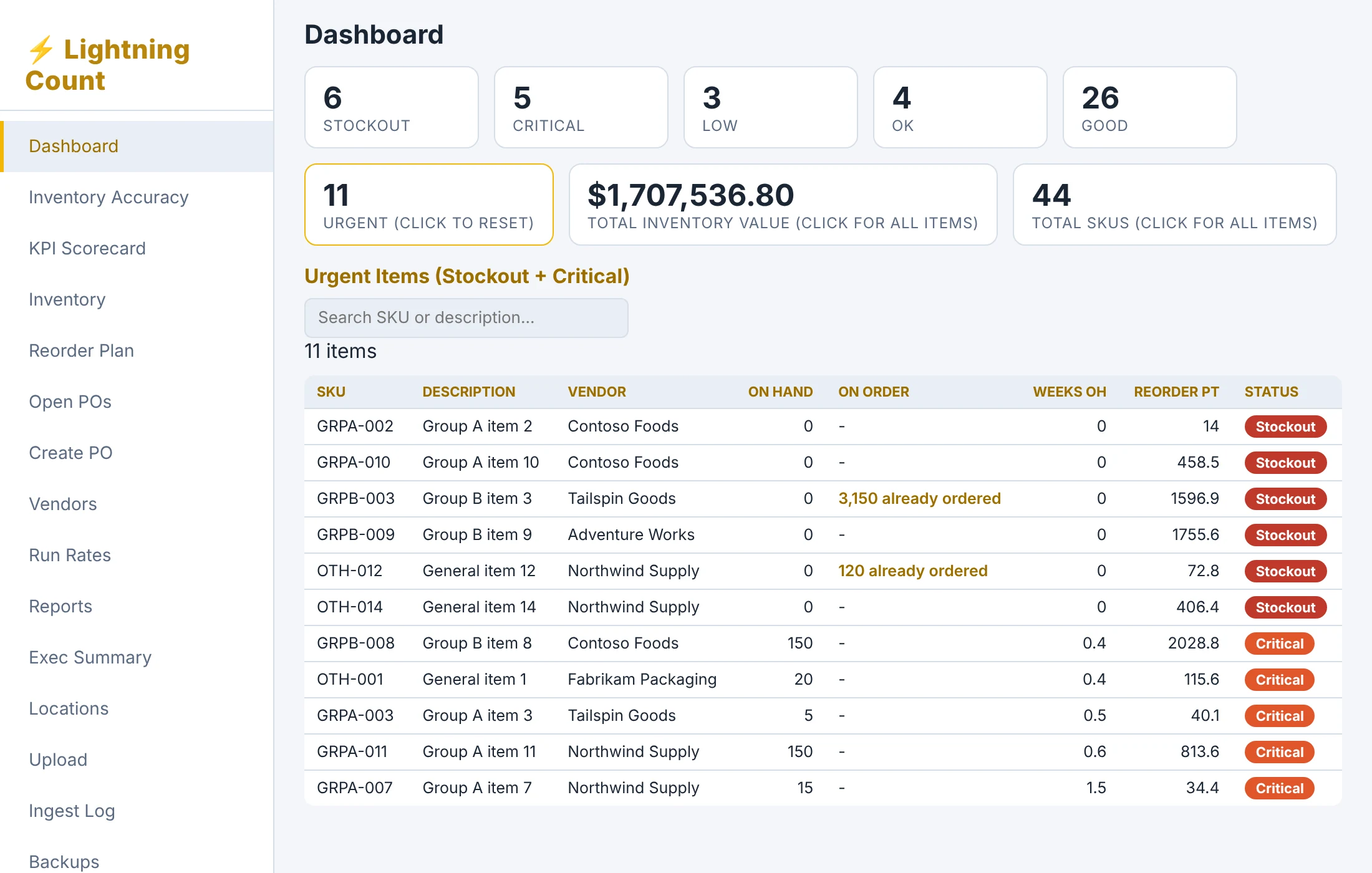
Lightning Count dashboard showing stockout, critical and low items with the urgent list below
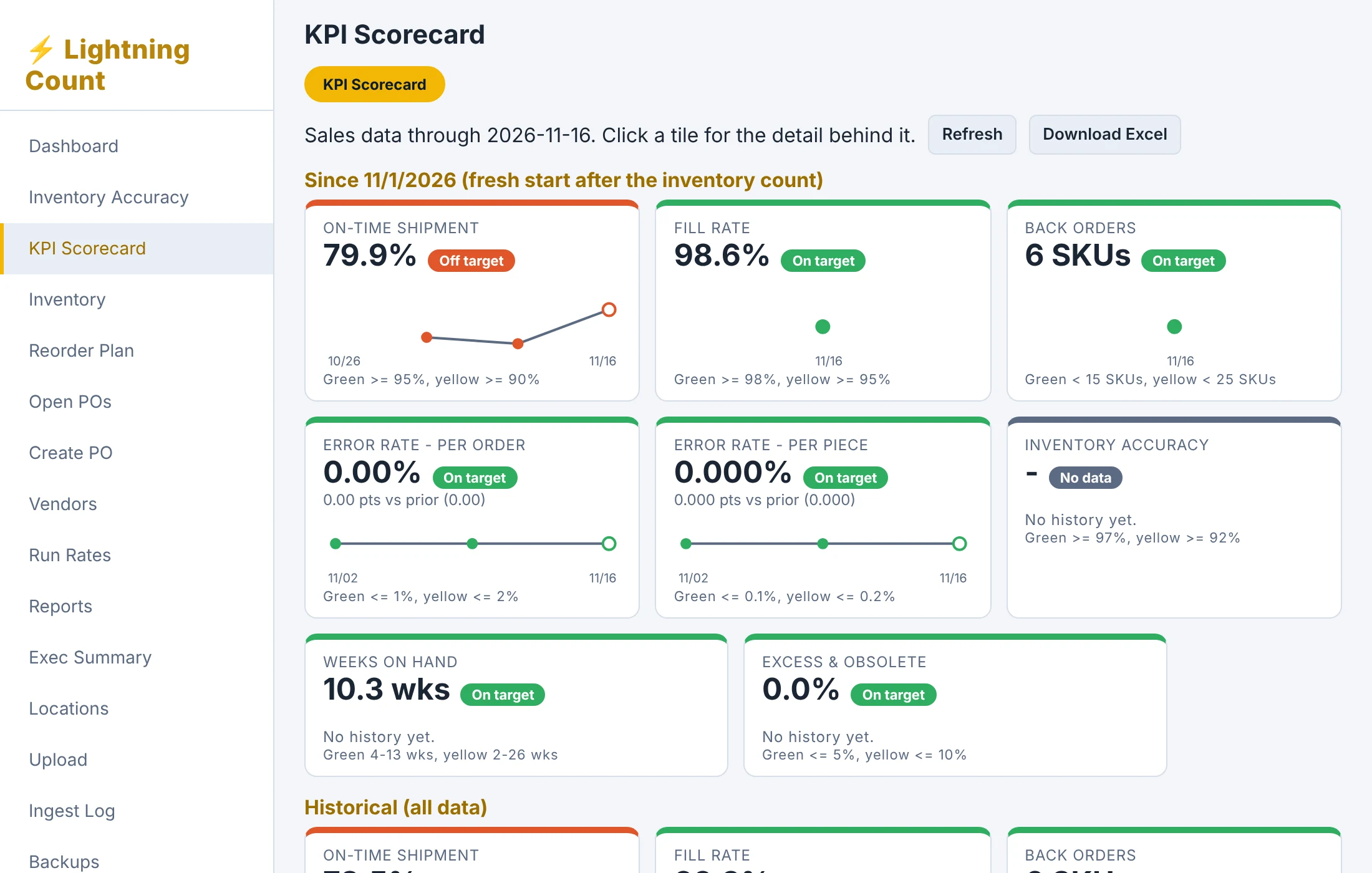
Lightning Count KPI scorecard with on-time shipment, fill rate and back order tiles

One product. Add the warehouse when you're ready.

Lightning Count Complete and the WMS add-on are available now. Request a demo to see them. Using Salesforce, QuickBooks or another system? We customize Lightning Count to it.

Available now

Lightning Count Complete

$399 / month
One-time license also available. Ask for a quote.
  • Reorder plan and stock status
  • Run rates and weeks on hand
  • Open POs, vendors and lead times
  • Excess and obsolete reports
  • KPI scorecard
  • Monthly executive summary (Word)
  • Sales orders, invoices, payables and receivables
Request a demo
Add-on, available now

WMS add-on

Quoted
Added to Lightning Count Complete. Contact us for pricing.
  • Warehouse picking and receiving
  • Inventory counts
  • Printable pick tickets
  • Same login and same data as Complete
Request a demo
Available now

Custom integration

Quoted
One-time setup fee, based on your system and reports.
  • Salesforce, QuickBooks, NetSuite and other systems
  • We map your reports to Lightning Count
  • Tested against your real files
  • Daily reports ingested from email
Talk to us

Complete is a starting price for one company. Custom integration is quoted for your system.

What you getCompleteComplete + WMS add-on
Reorder plan, run rates, weeks on handIncludedIncluded
Open POs, vendors, lead timesIncludedIncluded
Excess and obsoleteIncludedIncluded
KPI scorecard and executive summaryIncludedIncluded
Sales orders, invoices, payables, receivablesIncludedIncluded
Warehouse picking, receiving, counts–Included

We set it up around the system you already use.

You don't change how you work. We connect Lightning Count to the reports your system already produces, whether that's Salesforce, QuickBooks, an ERP or a warehouse system.

1

Send sample reports

Export inventory, sales and open PO reports from your system and send them to us.

2

We map them

We match your columns to Lightning Count and test against your real files.

3

Keep data current

Schedule your system to email the reports daily so the numbers stay fresh.

4

Work from the plan

Open Lightning Count each morning and order what it flags.

See it on your reports.

Tell us which system you use and what you want to see first. We'll reply within one business day to set up a walkthrough.

Prefer to talk? CallPREOKSTOCK(773) 657-8625

This opens an email to [email protected] with your details filled in.